Procedural Animation
- CPU Animator
- GPU Animator
The default animation processing path is to use animation clips to drive animated bone poses. Procedural animation is another approach to moving skeletal bone poses according to certain mathematical algorithms.
Implement pose-modifying systems inside RukhankaAnimationInjectionSystemGroup, after CPU pose calculation and before animation application. See Altering Animation Results for a complete example and coordinate-space requirements.
Dynamic Bone Chain
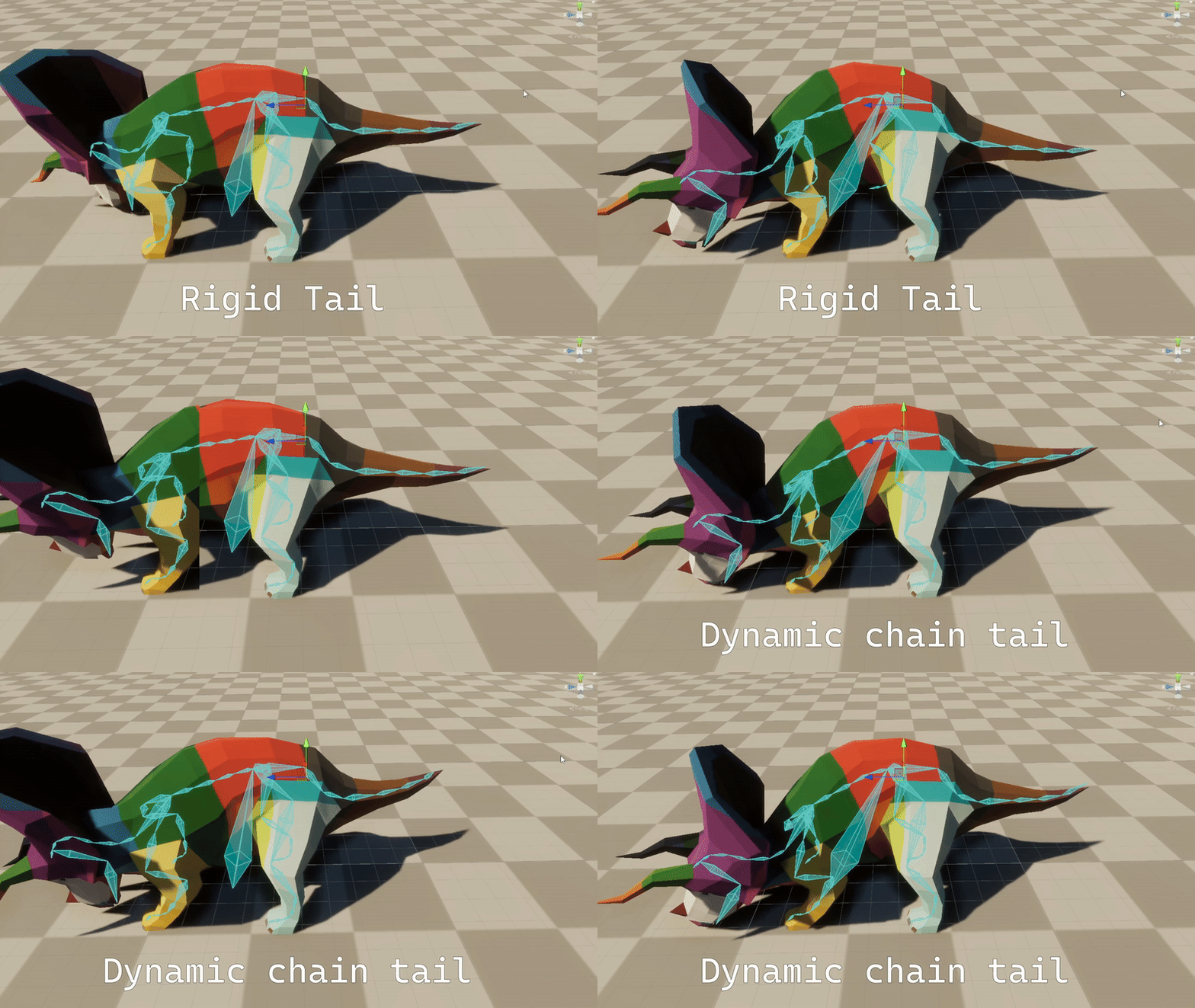
The dynamic bone chain is a simulation system that applies spring-based physics, smoothing, and blending to transform hierarchies.
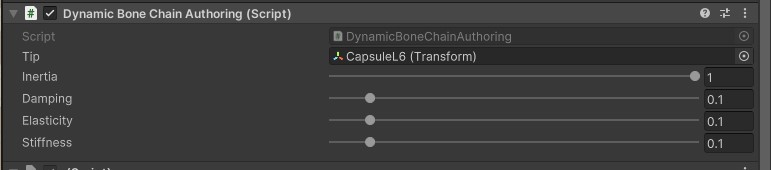
The authoring script must be placed on the root bone of the simulated hierarchy. The following parameters can be configured:
- Inertia - controls the chain's inertial response to movement of its owning rig.
- Tip - the end bone of the simulated bone chain.
- Damping - controls how quickly a dynamic bone’s oscillations lose energy, preventing endless wobbling by reducing velocity each frame.
- Elasticity - determines how strongly a dynamic bone tries to return to its rest position, acting like the stiffness of a spring.
- Stiffness - controls how rigidly a dynamic bone resists bending, keeping it closer to its original orientation instead of freely swaying.
The dynamic bone chain consists of one component and one buffer:
using Rukhanka;
using Unity.Entities;
using Unity.Mathematics;

public struct DynamicBoneChainComponent: IComponentData, IEnableableComponent
{
    public float inertia;
    public float damping;
    public float elasticity;
    public float stiffness;
    public float timeAccumulator;
    public float3 prevPosition;
}

public struct DynamicBoneChainNode: IBufferElementData
{
    public int parentIndex;
    public float3 position;
    public float3 prevPosition;
    public BoneTransform referenceLocalPose;
    public Entity boneEntity;
}
Particle positions are simulated in world space and converted back into rig space for pose application. Keep the chain enabled only on CPU rigs; large changes in the owning rig's position reset the simulation to avoid excessive lag.
Leg Animator
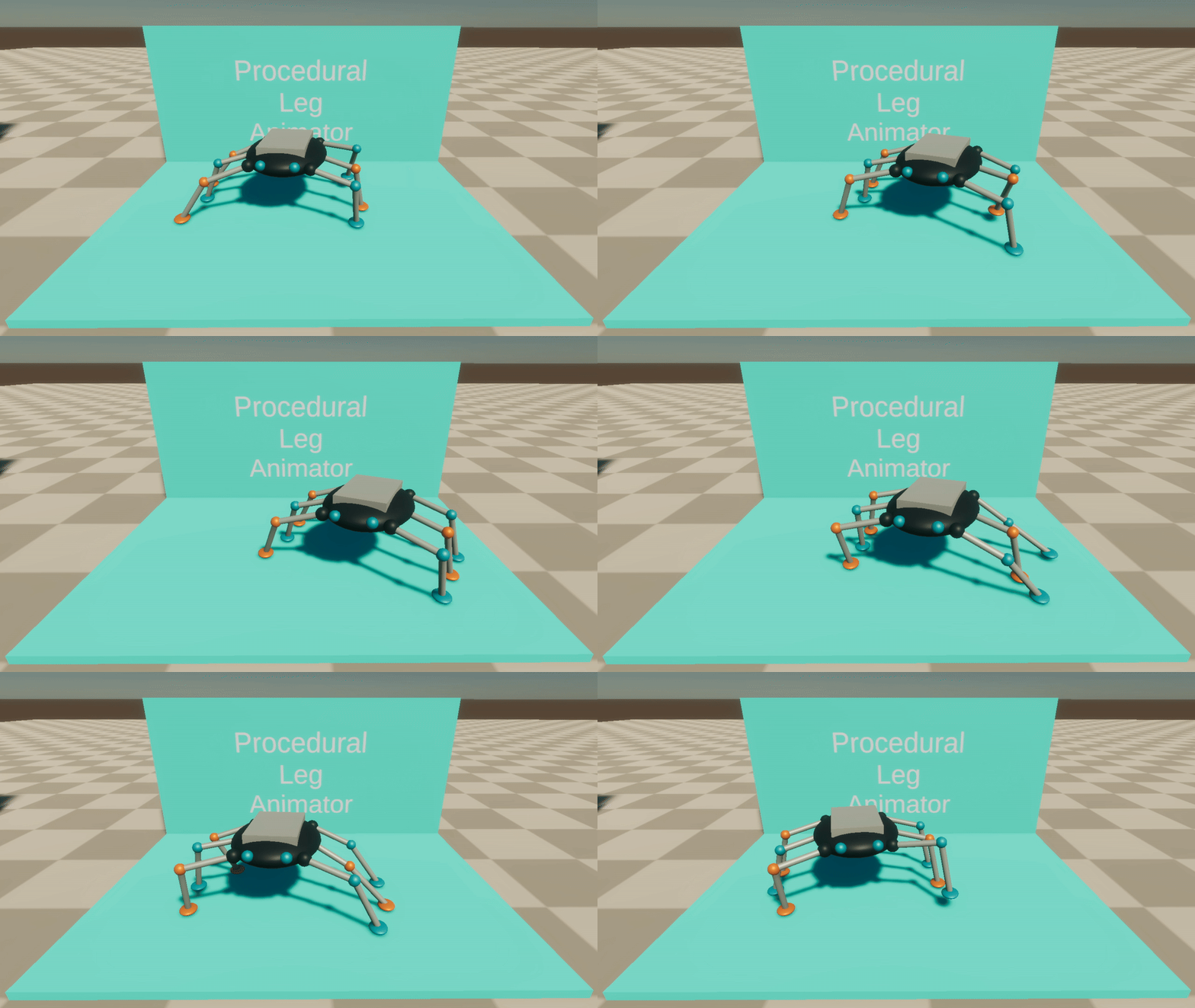
LegAnimatorAuthoring drives procedural stepping through existing two-bone IK chains. Add it to the moving body, then assign each leg's TwoBoneIKAuthoring to its Legs array. Use a CPU rig and a distinct, non-animated target for every leg. Targets may be parented; the animator keeps planted feet fixed in world space as the body moves and turns.
Legs at even array indices form one support group; odd indices form the other. For a quadruped, put diagonally opposite legs in the same group. For a six-legged walker, alternate the middle pair to form support tripods. One group completes its steps before the other starts.
- Step Threshold is the world-space distance a foot may drift from its body-relative rest position before stepping.
- Step Variation adds a per-leg variation to the threshold during baking.
- Step Time controls the duration of a step in seconds.
- Step Height controls how far the foot lifts along world up during a step.
LegAnimatorSystem updates targets before TwoBoneIKSystem in RukhankaAnimationInjectionSystemGroup. Runtime gait parameters are available through LegAnimatorComponent and LegAnimatorLeg. Disabling LegAnimatorComponent pauses target updates. This animator uses the authored rest plane; it does not perform terrain raycasts.
The Leg Animator stage in sample 24, Procedural Animation, demonstrates a six-legged walker with controls for step distance, height, duration, and body speed. Setting body speed to zero lets you inspect the pose.
Procedural animations are not supported by GPU Animator.