Settings Dialog
Open Edit > Project Settings > Rukhanka Animation to configure debugging and deformation features.
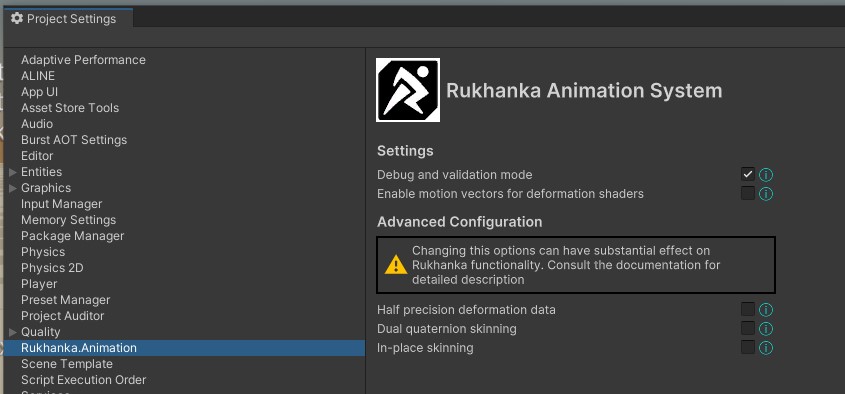
Settings
Debug and validation mode
Enables RUKHANKA_DEBUG_INFO, adding diagnostic names and validation information to relevant data structures. It also enables bone visualization. See Extended Validation Mode. Changing the symbol recompiles scripts; rebake affected SubScenes so their blob layouts match the current configuration.
Enable motion vectors for deformation shaders
Enables RUKHANKA_ENABLE_DEFORMATION_MOTION_VECTORS for deformation data and shaders. Materials still need a compatible motion-vector pass and the properties described in Shaders with Deformations. Enabling this option alone does not add a missing pass to a custom shader.
Advanced Configuration
Half-precision deformation data
Stores preskinned output vertices in a packed, lower-precision format. The output buffer uses 20 bytes per vertex instead of 36. This setting is unavailable while in-place skinning is enabled because that path does not store a deformed vertex buffer. See Half-precision Deformation Data.
Dual quaternion skinning
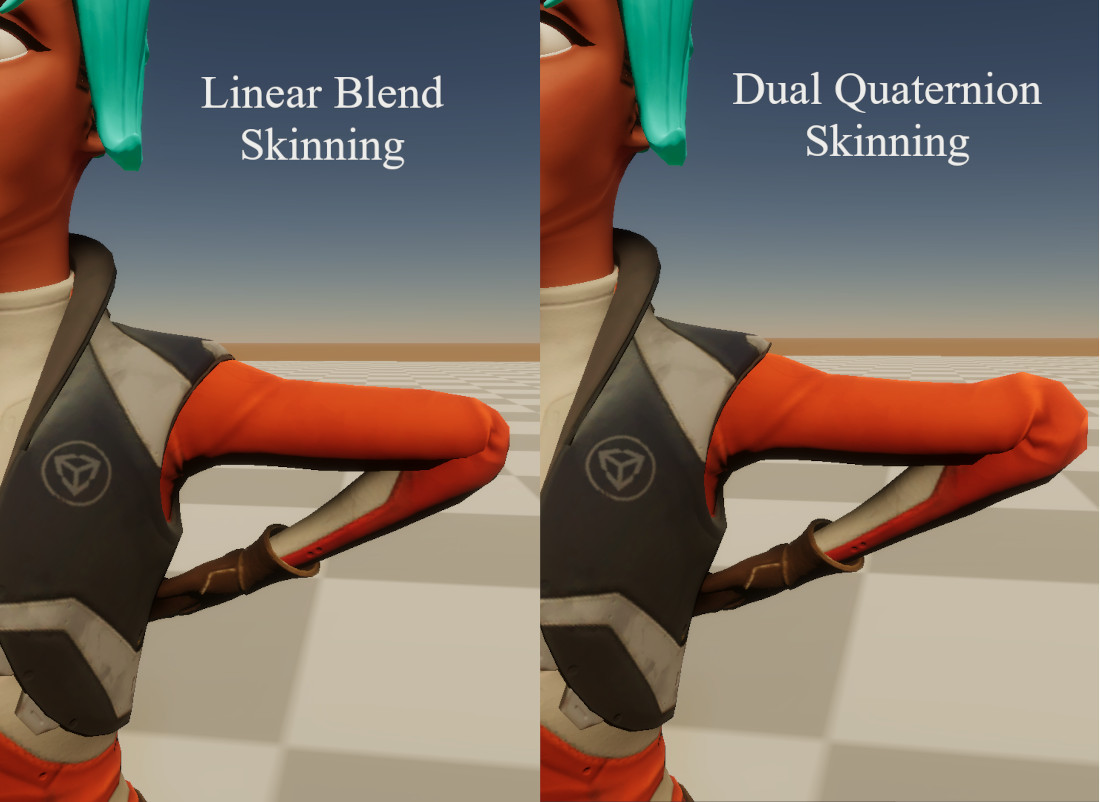
Dual quaternion skinning (DQS) can reduce joint volume loss compared with linear blend skinning (LBS). It has different deformation behavior and additional computation cost; compare representative poses and your target hardware before enabling it.
In-place skinning
Performs deformation directly in mesh vertex shaders instead of producing a preskinned output buffer. It is enabled by default in current releases. This reduces intermediate storage but repeats deformation for each render pass. See In-place Skinning.
Settings that affect deformation update both C# compilation configuration and shader configuration. Let script compilation and shader imports finish before comparing results. Keep these changes in version control with your project/package configuration so builds use the same settings as the Editor.